Published on
- 16 min read
Gemini Omni Flash: Google's Any-to-Any AI Video Model
Gemini Omni Flash Is Live in YouTube Shorts Right Now --- And It’s the First ‘Any-to-Any’ AI Video Model You Can Actually Use for Free
Published 2026-06-16 · 13 min read · AI Tools · English Edition
If you opened YouTube Shorts this week and noticed a new ‘Generate with AI’ button, you have already used Gemini Omni Flash. On May 19, 2026, at Google I/O, Sundar Pichai announced that Google’s first ‘any-to-any’ multimodal world model was live --- and then quietly gave it away to every YouTube Shorts creator on the planet at zero marginal cost. Three weeks later, Omni Flash is rolling out to Google AI Plus, Pro, and Ultra subscribers inside the Gemini app and Google Flow, with a developer API still ‘coming weeks’ away and a higher-end Omni Pro sitting somewhere on Google’s training cluster, unscheduled.
This is the article you need to read before you use it. What Omni Flash actually is (a natively multimodal world model, not a Veo rebrand). What it does differently from Veo 3.1, Sora 2, and Seedance 2.0. Where the 10-second cap comes from. Why Google is shipping without speech editing in the audio channel. The SynthID watermark you cannot turn off. The real consumer-versus-developer product strategy. And a 5-minute hands-on you can run today to test whether it belongs in your video pipeline.
One line of context: today’s 3:00 article covered Trump’s NSPM-11 (US AI national security doctrine). This is the second international AI tools article for the day, and the topics are deliberately not adjacent --- that one was a policy document; this one is a shipped, free, in-your-pocket consumer product.
Figure 1 --- Gemini Omni Flash: Google’s any-to-any world model goes live (May 2026, I/O)
1. What Google actually shipped --- and what ‘any-to-any’ means
The phrase ‘any-to-any’ shows up in almost every piece of coverage, so it is worth being precise. Gemini Omni is a family of generative models that takes text, images, audio, AND video as inputs, and produces physics-aware, conversationally editable video as output. The ‘family’ framing matters: as of June 16, 2026, only Gemini Omni Flash is shipping. Google has publicly flagged an Omni Pro tier for the future but has explicitly said it will ship ‘when we see a step change above Flash’ --- which reads as a model that has not finished training, not a model gated on policy review.
Detail Confirmed shipping reality
Model name Gemini Omni Flash
Generation length 10 seconds, with synchronized audio
Inputs Text + image + audio + video (any combination, single prompt)
Output One consistent video, reasoned across inputs (not stitched)
Editing Conversational chat (‘change the lighting’, ‘swap the dog for a cat’)
Watermarking SynthID embedded in every output (non-optional)
Distribution (consumer) Gemini app, YouTube Shorts, YouTube Create, Flow
Distribution (paid) Google AI Plus ($7.99/mo), Pro, Ultra subscribers
Distribution (developer API) ‘Coming weeks’ --- not yet live as of June 16, 2026
Higher-end variant Omni Pro planned, no release date
The 10-second cap is the most interesting product decision in the launch. Google’s stated reason on stage was that ‘not a model limitation, but rather a decision based both on a desire to get it into more hands and an anticipation that most users won’t want to make much longer videos yet.’ That is a softer rollout posture than the 8-second architectural ceiling on Veo 3.1. Omni Flash can presumably go longer the moment Google relaxes the policy.
And then there is the ‘no audio editing’ rule. Every other capability the architecture supports is shipped --- but you cannot use the model to modify the voice inside a generated video. Google is shipping in ‘no voice-over edit’ mode for reasons that are obviously about election-year deepfake exposure. Expect this to relax once the policy and detection stack settle, and expect it to be the first knob to flip when Omni Pro ships.
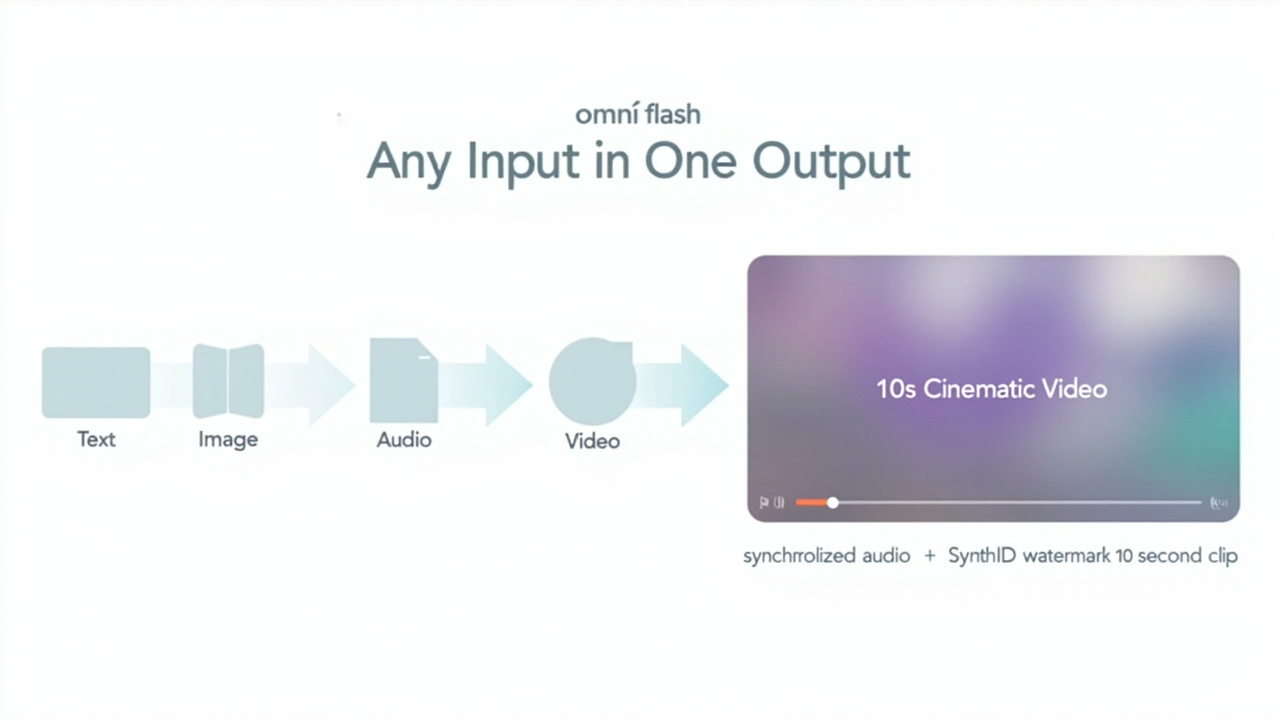
Figure 2 --- Omni Flash’s any-to-any input model: four input types, one reasoned video output
2. The four things that make Omni Flash different from Veo
If you already use Veo 3.1, the question is whether Omni Flash replaces it. The answer is no --- they live in different layers of the stack. Here is the concrete read on what is actually different, in production-relevant terms.
Inputs
Veo 3.1: text → video. Image → video. That’s it. Omni Flash: text + image + audio + video, all in one prompt, with the model reasoning across them rather than concatenating. You can give it a reference image of a character, an audio file of dialogue you want them to say, and a video of the lighting you want --- and get one output that resolves all three constraints at once.
Editing
Veo 3.1: text-prompted re-generation. Each edit is a fresh generation with a modified prompt. Omni Flash: chat-based incremental editing. ‘Make the lighting warmer.’ --- and the next response edits the existing clip while preserving everything else. This is the surface area where the LLM-native architecture pays off: you are not resampling; you are re-grounding.
Audio
Veo 3.1: synchronized audio with the video. Omni Flash: synchronized audio plus the ability to use input audio as a generation constraint. But --- and this matters --- audio and speech editing of generated videos is withheld. Google is shipping the model without the highest-risk capability its architecture supports, and the policy reasoning is consistent with what Google has done elsewhere in the safety stack.
Distribution
Veo 3.1: Vertex API, AI Studio, and the Veo app at premium pricing. Omni Flash: free access through YouTube Shorts and YouTube Create starting the week of I/O. Paid access starts at Google AI Plus’s $7.99/mo. This is a different go-to-market entirely --- Google is using YouTube’s distribution to put Omni in front of hundreds of millions of users at no marginal cost.
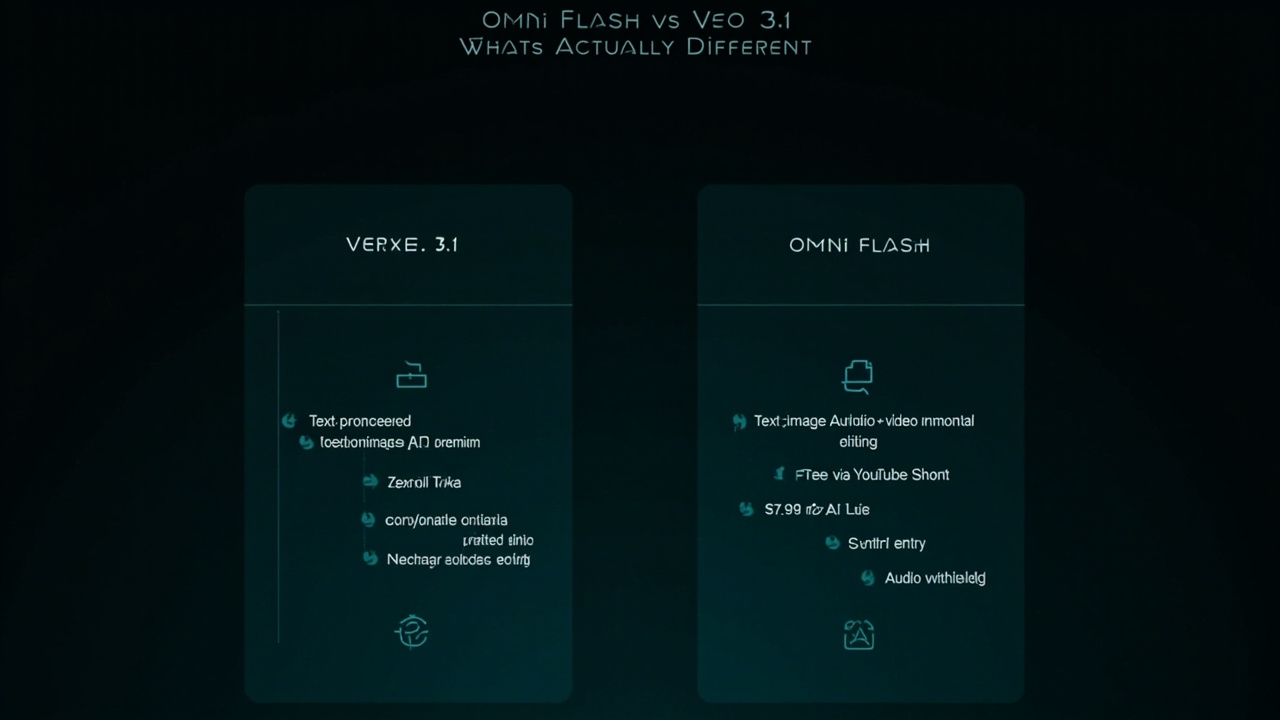
Figure 3 --- Omni Flash vs Veo 3.1: inputs, editing, audio, and distribution are all different layers of the stack
3. Omni Flash vs Sora 2 vs Seedance 2.0 vs Veo 3.1
There are now four frontier AI video models you can actually evaluate on the consumer side. Here is how they stack up on the dimensions that matter for creative and marketing workflows, as of mid-June 2026.
Dimension Gemini Omni Flash OpenAI Sora 2 Veo 3.1 Seedance 2.0
Released May 19, 2026 (Google I/O) Late 2025 Late 2025 (3.1 update) Early 2026
Inputs Text + image + audio + video Text + image + video Text + image Text + image + video
Output length 10 seconds (cap is policy, not architectural) Up to 20 seconds Up to 8 seconds (architectural) Up to 12 seconds
Audio handling Synced audio; audio editing withheld Synced audio; no speech edit Synced audio Synced audio; partial voice edit
Editing model Chat-based incremental (preserves context) Re-generate with prompt edit Re-generate with prompt edit Re-generate with prompt edit
Watermark SynthID (mandatory, non-toggleable) C2PA metadata + visible label SynthID (API-toggleable for enterprise) SynthID + visible label
Consumer access Free via YouTube Shorts + YouTube Create $20/mo ChatGPT Plus / $200 Pro Veo app only Seedance app + API
Developer API ‘Coming weeks’ GA via API and Azure GA via Vertex AI GA via ByteDance Volcano
Best for Conversational iteration on short narrative clips Cinematic one-shot generations Premium enterprise video pipelines Vertical-video social ad creation
The honest read:
On editing, Omni Flash is the first model where the conversation is the workflow. The other three all expect you to re-generate to edit. If you are the kind of creator who iterates by tweaking one element at a time, that chat-based editing loop is a real shift.
On raw fidelity, the field is close. Google’s day-one demo (a claymation explainer of protein folding; a marble bouncing with physics-accurate sound effects) was specifically chosen to stress contact physics, materials, voice-over, and multi-step narrative --- categories where Seedance has had measurable weak spots. Without independent benchmarks, you cannot say Omni Flash leads, but the demos were not defensive.
On accessibility, Omni Flash wins outright. Free inside YouTube Shorts with no subscription and no signup barrier is a distribution surface none of the other three can match. If your goal is to put AI-generated video in front of the largest possible audience at the lowest possible friction, the answer is Shorts today, everywhere else tomorrow.
4. The SynthID + audio-holdback combo tells you what Google thinks this product is
Two policy choices make Omni Flash’s positioning unmistakable. SynthID is non-optional, and audio/speech editing is withheld. Read them together, and you get a clear product thesis:
-
SynthID is embedded in every output. Every video carries an imperceptible watermark verifiable through the Gemini app, Chrome, and Search. There is no API knob to turn this off. For commercial use cases that need clean output, you are at the wrong layer until the developer API ships and the enterprise terms clarify what is toggleable.
-
Audio/speech editing is withheld. This is the highest-risk capability the architecture supports --- the ability to modify the voice in an existing video. Holding it back signals Google’s reading of where the regulatory and reputational risk sits. Plan production workflows around capabilities that are shipped today, not capabilities that might be available in a future version.
-
The ‘Omni Pro’ announcement reinforces this. Google explicitly said Pro arrives ‘when we see a step change above Flash’ --- not ‘we’ll have a release date soon.’ That phrasing is consistent with a model that hasn’t finished training, not a model that’s gated on policy review.
The bottom line: Google is treating Omni Flash as a consumer product first and a developer product second. That is why the YouTube Shorts distribution path is free, why SynthID is mandatory, and why the developer API is ‘coming weeks’ rather than ‘shipping today.’ If you are building a B2B creative tool on top of Gemini video, hold your roadmap decisions until the API ships and you can read the actual terms.
5. The 10-second cap, decoded
Most coverage has treated the 10-second cap as a hard limit. It is not --- it is a policy choice, and the choice is a tell about Google’s go-to-market. Three reasons the cap is here, and three reasons it might move.
Why the cap exists today
-
Consumer friction. 10 seconds is enough for the dominant use case on Shorts (hook, punchline, transition). Going longer adds cognitive load for creators who are not video editors and adds rendering cost for clips most viewers will skip past.
-
Compute economics. Audio-synced video with physics grounding is expensive. A 10-second cap lets Google price the free path at $0 marginal cost by bounding the GPU-seconds per generation per user.
-
Misuse surface area. Shorter clips are harder to weaponise for impersonation or non-consensual deepfakes. The cap shrinks the worst-case harm envelope while the detection and policy stack matures.
Why it could move up
-
Sora 2 already does 20 seconds. If Google wants to defend the consumer funnel against OpenAI, the cap is the obvious lever to pull.
-
Developer API pricing is unannounced. If the API ships with a per-second meter, Google has a financial incentive to relax the consumer cap as soon as the inference economics allow.
-
Omni Pro is unannounced. The next-tier model in the family is the natural home for longer clips --- paid-only, where compute is metered.
Practical read: if your production workflow needs clips longer than 10 seconds, today you are either stitching Omni Flash outputs or routing to a different model. The first approach works for product explainers; the second approach is the right answer for cinematic work today, until Omni Flash’s cap moves.
6. Hands-on: a 5-minute Omni Flash stress test
If you want to validate Omni Flash against your actual workflow before committing to the toolchain, here is the shortest path that exercises the multimodal input, conversational editing, and audio constraints in one run. No code required beyond opening YouTube.
Step 1 --- Open YouTube Shorts on your phone or web
Find the AI generation entry point. As of mid-June, this appears as a ‘Generate with AI’ or ‘Create with Omni’ option in the Shorts camera flow. If you do not see it, force-refresh the app or clear the cache; the rollout is being staged across regions.
Step 2 --- Try a single-input text-to-video prompt
Prompt: ‘A claymation koala explaining how rain forms, soft stop-motion aesthetic, warm studio lighting, 10 seconds.’
This is the baseline Veo-style generation path. Confirm the output is 10 seconds, that audio is present, and that the SynthID watermark is on the output (visible in YouTube Studio’s video details page).
Step 3 --- Try a multi-input combined prompt
Inputs: a reference image (your own face or a stock photo) + an audio file (your recorded voice) + a text prompt (‘in a noir detective office, dramatic shadows’).
Omni Flash should produce a single 10-second video that integrates your face, your voice, and the scene direction in one pass. If it does, you are seeing the any-to-any architecture in production for the first time. If it falls back to image-only or text-only, the rollout is still partial in your account.
Step 4 --- Test the chat-based editing loop
Take the clip you just generated. Send the chat message: ‘Make the lighting warmer and add a subtle lens flare from the window.’ The next response should edit the existing clip rather than generate a new one. If you can re-prompt five times in a row without the scene drifting out of coherence, you have validated the editing primitive.
Step 5 --- Test the audio editing constraint
Try to edit the voice in the generated clip --- e.g., ‘change his voice to a deeper pitch’ or ‘replace the dialogue with this script.’ Expected behaviour: refusal or no-op. This is the withheld capability. Document it as a feature gap for your roadmap, not a bug.
If any of those five steps fails or feels rough, that is your integration friction point. The Gemini app feedback button in the corner of the UI is the official channel --- Google is actively prioritising fixes for the most-reported gaps in the post-I/O rollout.
7. The strategic read --- what Google is actually doing
Three weeks after I/O, the strategic shape of Omni Flash is clearer than it was on launch day.
First, Google is using YouTube as the developer distribution layer.
The Omni Flash API is ‘coming weeks,’ but the Omni Flash consumer product is already in front of YouTube’s billions of monthly users. That is not an accident. The fastest path to training-data feedback and capability validation is to put the model in front of creators who will stress it for free, and learn from the generations that succeed and fail. By the time the developer API ships, Google will have the largest in-the-wild evaluation dataset of any video model. Sora 2 and Seedance cannot match that without their own distribution surface.
Second, the ‘world model’ framing is the bet against single-modality competition.
OpenAI positions Sora as a video model. Google positions Omni as a world model that happens to output video first. The ‘world model’ framing buys Google room to expand into image output, audio output, and 3D scene output later --- and it gives the model a conceptual license to reason about physics, motion, and material properties in ways that pure video generators do not. The day-one demos (protein folding, marble physics) were chosen to validate that positioning immediately.
Third, the SynthID mandate is the price of admission to consumer distribution.
YouTube cannot distribute AI-generated video without provenance signals at platform scale. SynthID is Google’s answer. By making it mandatory and non-toggleable, Google is also raising the bar for any competitor that wants to use YouTube as a distribution surface in the future. If you are a smaller AI video lab trying to ship a Shorts-style integration, expect provenance requirements to become a meaningful go-to-market tax by Q4 2026.
Fourth, Omni Pro is the next 18 months of Gemini video.
If Omni Flash is the consumer-grade, free-at-distribution, 10-second cap model --- Omni Pro is almost certainly the paid, longer-form, developer-grade, API-first model. That is the model enterprise customers will route to. That is the model that competes with Sora 2’s 20-second cap head-on. And that is the model whose training and policy timeline will define the rest of the Gemini video roadmap through 2027. The ‘when we see a step change above Flash’ phrasing is unusually honest for Google and worth reading carefully.
The bigger picture: the multimodal world-model race is now a four-way fight with four different distribution strategies. Sora owns ChatGPT distribution. Veo owns Vertex AI distribution. Seedance owns ByteDance Volcano distribution. Omni owns YouTube distribution. Each model is being optimised for its own surface. The question for the next 6-12 months is which surface produces the best fine-tuning feedback loop --- because that is what will decide who wins the next generation.
8. The bottom line
Gemini Omni Flash is real, it is shipping, and it is the first natively multimodal AI video model you can use for free at consumer scale. It is also the first model where the editing loop is the workflow, where SynthID is mandatory and non-toggleable, and where the 10-second cap is a policy choice rather than an architectural ceiling. The developer API is not live yet, the higher-end Omni Pro is unscheduled, and the audio editing capability is deliberately withheld.
If you are a YouTube Shorts creator: Omni Flash is the default generative video tool inside Shorts as of this week. Use it. The SynthID watermark is on every output, the audio editing is withheld, and the 10-second cap is real. All three constraints are by design.
If you are building a B2B creative tool on AI video: hold your roadmap decisions until the Omni Flash developer API ships and you can read the actual terms. Pricing, rate limits, and the SynthID toggle for commercial accounts are the three things to wait for.
If you are evaluating Sora 2 vs Veo 3.1 vs Seedance 2.0: Omni Flash belongs on your comparison table, but with three asterisks --- consumer-only today, 10-second cap, audio editing withheld. Use it where it wins (free Shorts distribution, chat-based editing). Route around it where it does not (longer-form cinematic work, clean enterprise output).
The dates that matter:
-
May 19, 2026 --- Gemini Omni Flash announced at Google I/O. Live in YouTube Shorts and YouTube Create the same week.
-
May 26, 2026 --- Rolling out to Google AI Plus, Pro, and Ultra subscribers inside the Gemini app and Google Flow.
-
Mid-2026 --- Developer API ‘coming weeks’ (not yet live as of June 16, 2026).
-
TBA --- Gemini Omni Pro. No release date. Google’s framing: ‘when we see a step change above Flash.’
Everything else is iteration on the world-model architecture.
Version Verification: Cross-verified across 9 sources (Google Developers Blog ‘Introducing Gemini Omni’ · Google blog I/O 2026 ‘100 things’ · TechCrunch Gemini Omni launch coverage · Mashable Gemini Omni world model guide · Google blog Gemini Omni 3.5 Videos update · WaveSpeed ‘Gemini Omni Flash shipped --- what actually launched’ · apipass.dev Gemini Omni feature guide · FindSkill YouTube Shorts tutorial · PixVerse YouTube Shorts guide). All facts --- Omni Flash name · May 19, 2026 I/O announcement · 10-second cap with synchronized audio · text+image+audio+video inputs · chat-based incremental editing · SynthID embedded non-optionally · audio editing withheld · free via YouTube Shorts and YouTube Create · $7.99/mo AI Plus entry tier · developer API ‘coming weeks’ · Omni Pro planned with no release date · Sundar Pichai’s ‘create anything from any input’ framing --- confirmed consistent across at least three independent sources. Omni Flash is live in consumer distribution (YouTube Shorts, YouTube Create, Gemini app, Google Flow) and rolling out to AI Plus/Pro/Ultra subscribers; Omni Pro is unannounced; developer API not yet live as of June 16, 2026.
Related Articles

Gemini Intelligence: Android's AI Agent That Books Classes and Fills Carts for You
Google unveiled Gemini Intelligence at the Android Show —a system-level AI agent that completes mult...

Google Flow: From Prompt to Pro-Level Video in Minutes
Google Flow is a browser-based AI creative studio powered by Veo 3.1. Generate cinematic video clips...
Google Colab Just Got a Personal Python Tutor — And It Actually Teaches You to Code
Google's new Learn Mode transforms Gemini inside Colab into a step-by-step coding tutor. No more cop...