Published on
- 4 min read
OpenAI Codex Gets 'Computer Use' �?The AI That Finally Learned to Click

The AI That Finally Learned to Click
For years, AI coding assistants have been text-generators with ambitions. They write code, explain bugs, and suggest improvements �?but they never actually touch your software. OpenAI Codex is about to change that. With its April 2026 upgrade, Codex gained “Computer Use” �?the ability to see your screen, move your mouse, open apps, and run workflows on your actual desktop, hands-free. Think of it as giving your AI assistant a pair of virtual hands.
This isn’t a minor feature drop. It’s a fundamental shift in what an AI agent can do. And it puts OpenAI in direct competition with Anthropic’s Claude Code in the race to build the most capable desktop AI agent.
What Is Codex’s “Computer Use”?
Computer Use is an experimental feature that lets Codex operate your Mac or Windows desktop the same way a human would �?by seeing the UI, clicking buttons, typing text, and navigating between applications. It goes far beyond terminal commands or code suggestions.
With Computer Use enabled, Codex can:
- Open and switch between apps on your machine
- Interact with graphical interfaces, not just command lines
- Run browser automation without external tools
- Execute multi-step workflows while your screen is locked
- Continue working even when your laptop goes to sleep (with “Locked Use” enabled)
The feature is available through the Codex desktop app (released March 2026 for macOS, Windows support added April 2026), the CLI, and the IDE extension �?and it’s built on top of GPT-5.5 in Codex, OpenAI’s most capable coding model to date.

Beyond Code: The Full April 2026 Upgrade
The April 2026 overhaul gave Codex a complete overhaul beyond just Computer Use:
*Multi-Agent Orchestration �? Codex can now spin up multiple agents that work in parallel on the same project. Each agent gets its own isolated “worktree,” meaning they won’t step on each other’s toes. You can assign different tasks, let them run simultaneously, and review changes in a shared thread.
*Background Computer Use �? Once a workflow starts, you don’t need to babysit it. Codex can execute long-running tasks in the background, including tasks that interact with your desktop, even if the system locks or sleeps. This is a first for an AI coding assistant.
*Persistent Memory �? Codex now remembers your project context across sessions. It learns your codebase, your coding style, your preferences �?and carries that knowledge forward instead of starting from scratch every time.
*Image Generation �? Integrated GPT Image generation means Codex can create visuals, UI mockups, diagrams, and game assets directly within a project. The racing game example �?built entirely by Codex from a single prompt �?showcases just how far this goes.
*90+ Skills & Plugins �? From Figma design implementation to cloud deployment (Vercel, Netlify, Cloudflare, Render) to PDF/document creation, Codex now ships with a rich library of extendable skills. You can also build custom skills tailored to your team’s workflow.
*Two Personalities �? Developers can now switch between a terse, execution-focused style and a more conversational, empathetic one �?depending on what kind of partner they want that day.
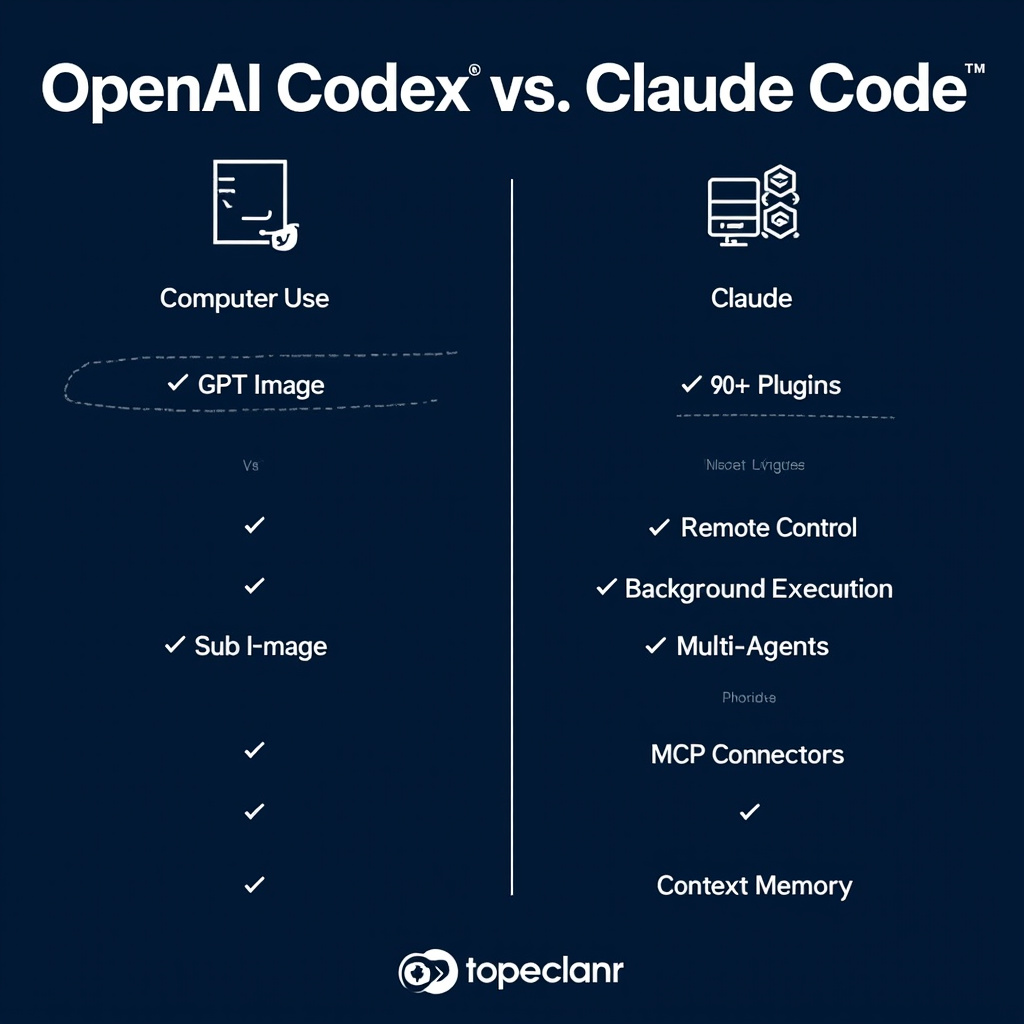
Codex vs. Claude Code: The Desktop Agent Race
Anthropic’s Claude Code has been the benchmark for AI-powered desktop coding agents. OpenAI’s latest update is a direct challenge. Here’s how they compare:
How to Get Started with Codex Computer Use
If you want to try Computer Use on macOS today, here’s the setup path:
1. Get access: Subscribe to ChatGPT Plus ($20/month), Pro ($200/month), Business, Enterprise, or Edu. For a limited time, ChatGPT Free and Go users also get Codex access.
2. Install the desktop app: Download Codex for macOS (or Windows as of March-April 2026) from the OpenAI website. The app also syncs with the CLI and IDE extension if you already use those.
3. Grant permissions: On macOS, you’ll need to give Codex Screen Recording and Accessibility permissions. This lets Codex see and interact with your apps. You’ll be prompted for each app Codex tries to control.
4. Enable Computer Use: In the Codex app settings, toggle on “Computer Use.” You can also configure rules and permissions per project.
5. Start a task: Give Codex a natural-language goal: “Open the Calculator, multiply 15 by 23, and show me the result.” Watch it work. Then scale up to real workflows.
⚠️ Security Note: Computer Use is still experimental. OpenAI explicitly warns against giving Codex access to sensitive accounts or critical systems. Always review what Codex does before confirming actions, especially when it wants to interact with financial, medical, or security-sensitive apps.
Why This Matters
We’re watching the transition from “AI that talks about work” to “AI that does work.” For years, the gap between an AI suggestion and a completed task was human execution. Computer Use bridges that gap �?not perfectly, not without risks, but meaningfully.
For developers, this means fewer context-switching interruptions. Instead of guiding an AI step-by-step through a terminal, you describe the outcome and let Codex navigate to it. For teams, it means AI agents that can handle the repetitive operational tasks that previously required human hands.
OpenAI’s vision for Codex is bigger than a coding tool. They see it as a “command center for agents” �?a hub for orchestrating AI labor across the full software lifecycle, and eventually beyond it. The April 2026 upgrade is the clearest statement yet that this vision is real, and it’s arriving faster than many expected.
Sources: OpenAI Blog, OpenAI Developers (Codex Changelog), TestingCatalog, BuildFastWithAI, Times of AI · May 19, 2026
Related Articles

Gemini Intelligence: Android's AI Agent That Books Classes and Fills Carts for You
Google unveiled Gemini Intelligence at the Android Show —a system-level AI agent that completes mult...

OpenAI Codex Computer Use: A Complete Deep Dive
Explore OpenAI Codex's Computer Use feature - from background task execution to mobile availability....

GPT-5.5 Deep Dive: The AI That Codes, Reasons, and Now Controls Your Computer
OpenAI's latest flagship model doesn't just think harder — it acts. GPT-5.5's agentic capabilities a...